AI Workflow Automation Examples You Can Copy This Week

An AI workflow automation example is a normal automated process with one AI step added where judgment is needed, like reading an email or pulling numbers from an invoice. The best ones end with a person approving the result before anything leaves the business.
Below are eight examples with the trigger, AI step and human check for each. For background, read what to automate first and agentic ai, or see custom AI apps if you want help building one.
What is an AI workflow, and how is it different from an agent?
An AI workflow is an automated process where the steps are fixed ahead of time and an AI model does the thinking inside one or more of them. An agent is different, because the model chooses its own steps. Anthropic’s guide to building effective agents (published December 19, 2024) separates the two this way: workflows are systems where LLMs and tools follow predefined code paths, while agents direct their own process. The same guide recommends finding the simplest solution possible and adding complexity only when it is needed.
I agree with that, and I’m a little allergic to the hype around it. When I click New, type hi and hit enter, that’s an agent, or a session, or a chat. It’s all the same thing. Agent is just a really fancy term for it. A workflow is the more useful word for most businesses, because you can see every step and test it.
Interest is not the problem. Zapier’s 2026 AI Agents survey of over 500 enterprise leaders found that 88% say their organizations are using or testing AI agents, up from 72% in 2025 (article updated November 2026). The harder part is knowing which job to hand over first.
What do all good AI workflows have in common?
Every example below has the same four parts, and you can use them as a checklist for your own idea.
| Part | What it is | Example |
|---|---|---|
| Trigger | The event that starts a run | A new email, a new file, 7 a.m. on a weekday |
| AI step | The one place where judgment is needed | Read the email, extract the total, summarize the thread |
| Check | A rule or a person that confirms the result | A person approves the draft, a rule rejects a missing field |
| Action | What happens once it passes | Send the reply, add the row, post the summary |
Zapier describes AI workflow automation as using AI models inside automated workflows to handle steps that need judgment (published December 2025, updated July 2026), and it reports that workflows that reserve AI for those steps cost 71% less to run than workflows that send every step through a model. So keep the trigger and the action as plain rules, and spend the AI only on the messy middle.
What are eight AI workflow automation examples?
Here is each example in the same order: what starts it, what the AI does and where a person stays in charge.
| # | Workflow | Trigger | AI step | Human check |
|---|---|---|---|---|
| 1 | Inbound enquiry sorter | New email or form | Label it and draft a reply | Approve before sending |
| 2 | Email reply drafts | New email | Draft in your voice | Approve every draft |
| 3 | Invoice and receipt capture | File arrives | Extract vendor, date, total | Review anything unclear |
| 4 | Meeting follow-ups | Meeting ends | Summarize, list actions | Read before sharing |
| 5 | Support ticket triage | New ticket | Classify and route | Spot-check each week |
| 6 | Daily news digest | 7 a.m. schedule | Summarize what changed | None needed, it only reads |
| 7 | Overnight routines plus a chief of staff | Midnight to 7 a.m. | Each routine writes a file, one agent reads them all | You read one summary |
| 8 | New team member onboarding | 8 a.m. schedule | Run the onboarding steps | Watch the first runs |
1. Inbound enquiry sorter
A form or email arrives. The AI step reads it, decides whether it is a sales question, a support problem or noise, and drafts a first reply. A rule routes it to the right person. The person approves the draft before it goes out. The AI never sends to a customer on its own, and that one rule removes most of the risk.
2. Email reply drafts
This is the one I run myself. I let Claude read my email on its own, but anything it writes needs my approval first. Since Claude’s scheduled tasks started running while my computer is offline, I haven’t written an email reply from scratch in months, because Claude drafts every one of them. One warning that saves people a bad day: Claude will not send emails for you unless you tell it to, but if you say reply, it replies and sends. Always say draft. Claude builds the voice profile from your last 300 sent emails, so the drafts sound like you.
 Video · 14 min
How I Let Claude Automate My Email Replies (For Gmail & Microsoft)
I show the whole email setup, from connecting Gmail to letting Claude draft replies in my voice, so you can copy it for your own inbox.
Watch the video →
3. Invoice and receipt capture
If someone does the same task over and over every day, like sending receipts or emails, that task can probably be automated. A file lands in a folder, the AI step pulls out the vendor, date and total, and a rule writes them to a spreadsheet. Anything the AI is unsure about goes to a person. Money moves nowhere on its own.
4. Meeting follow-ups
Record the meeting, then let the AI summarize it and list the action items. I tell people to get an AI notetaker like Granola for the phone and the computer, so every meeting, demo, pitch and call can be fed back into Claude later. A person reads the summary before it is shared, because a summary can get a name or a number wrong.
5. Support ticket triage
A ticket arrives, the AI step classifies it, and a rule routes it to the right person or queue. Zapier’s guide says one company, Remote, now has 28% of its IT tickets handled automatically. Start smaller: route tickets for a week and have a person spot-check the labels before you let it answer anything.
6. Daily news digest
People ask how I keep up with all the Claude updates. I have a scheduled task that runs at 7 a.m. every day and tells me what was released the day before. It only reads and reports, so it needs no approval step, which makes it the safest first workflow on this list.
7. Overnight routines plus a chief of staff
I run over 15 scheduled routines every day between midnight and 7 a.m. None of them are allowed to message me. They only write an output file. Then a Chief of Staff agent reads all those files and emails or Slacks me exactly what needs my attention and what it can handle for me. Splitting it this way means I get one message a day, not fifteen.
 Free resource · Guide
Claude Agent Prompts, Skill, & Routine
The Chief of Staff routine, the agent prompts and an installable skill are in this one free download, ready for you to adapt.
Get it free →
8. New team member onboarding
A skill that welcomes a new team member, sends the first email, books the calls and sends homework can run on a schedule, for example every morning at 8am to onboard the latest person. Build it by hand first and put it on a schedule only later. Watch the first runs closely.
How do you pick the first workflow to build?
Pick the one that scores best on three questions. Is it repeated often? Are the rules clear? Is a mistake cheap to fix?
| Question | Good first workflow | Bad first workflow |
|---|---|---|
| How often does it happen? | Daily or weekly | A few times a year |
| How clear are the rules? | You can write them in five lines | “It depends” |
| What does a mistake cost? | A draft gets corrected | A wrong payment or message goes out |
My goal is really small, easy, quick wins. When a team sees how fast something gets built, they say wow, it was that easy, and they want to automate everything else. That is why the daily digest and the email drafts come first, and anything near money comes last. For a longer list by department, see AI use cases.
Where should a person stay in the loop?
A person should approve anything that sends, spends, edits or deletes. Reading is safe. Writing is not.
I always give Claude permission to read, because that does no harm, but I never give it blanket permission to edit or delete. When it wants to write, edit or delete, it asks and I approve. There are horror stories of an AI that deleted someone’s files. I set my automations the same way: they do not launch the next A/B test on their own, they message me on Slack to approve it first.
Zapier’s survey points the same way. Among organizations using AI agents, only 30% of leaders say agents handle a majority of their tasks without human intervention. Most companies keep a person in the loop, and you should too, at least at the start.
How do you go from running it by hand to running it on autopilot?
Use three stages: run it by hand, watch it, then schedule it.
- Build it as a skill or a saved set of steps and run it by hand. First you build a skill that you run by hand. Later you can put that skill into a scheduled routine. I save the steps as a skill because a long chat gets compacted and Claude can forget your original instructions.
- Watch the first few runs. When you teach Claude a process, watch it the first few times. If it goes the wrong way you say stop, fix it, and keep going.
- Let it run. After two, three or four runs you can tell it does not need you anymore, and then you just let it run.
Expect the first version to be bad. Your first skill is going to be bad. It will break, it will not connect, it will not find the email. I once spent twelve hours on a Gmail skill and had to scrap the whole thing, but I learned a lot from it. Do not give up after one broken run.
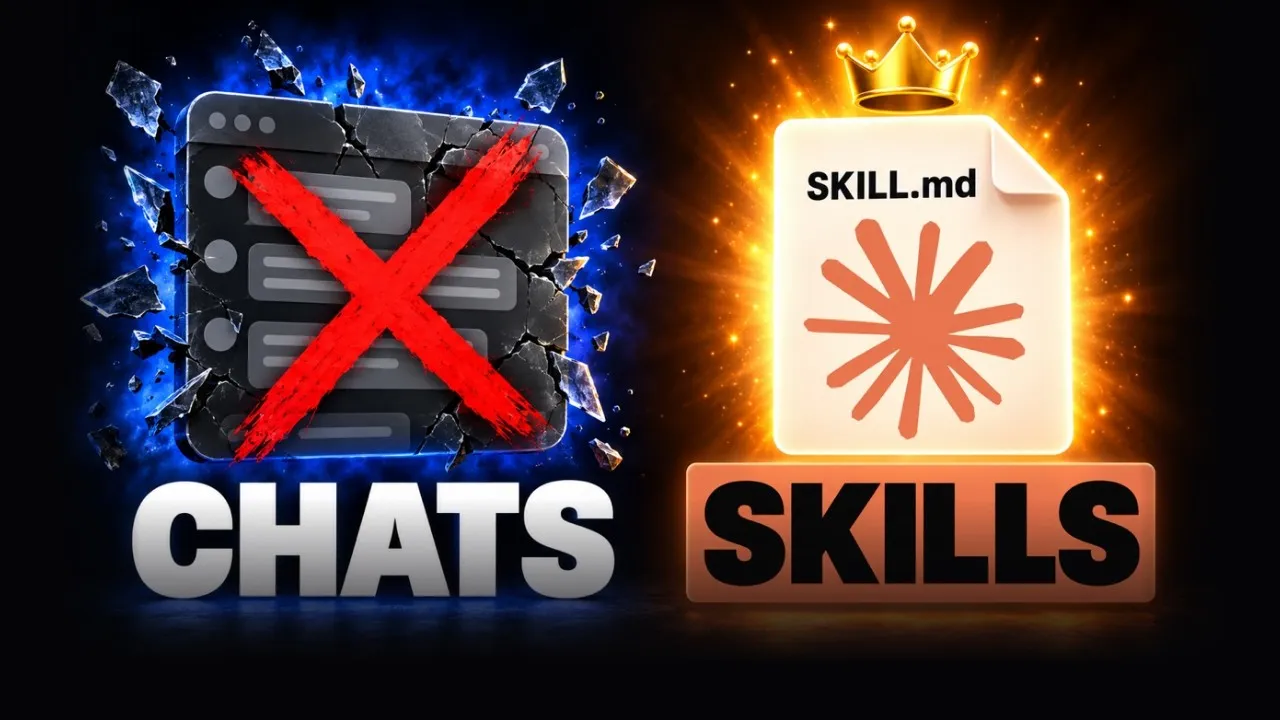 Video · 15 min
If You're Not Using Skills, You're Using Claude Wrong
I show how to turn a process you worked through in chat into a skill, so Claude runs it the same way every time.
Watch the video →
When should you leave AI out of a workflow?
Leave AI out when a rule can do the job. If the answer is always “if the total is over this number, send it to a manager”, use a rule. It is cheaper, faster and it never has a bad day.
Not every problem is an AI project. Sometimes it is just an inventory system, and even a great system is pointless if people will not use it. Anthropic’s guide gives the same advice from the builder’s side: find the simplest solution possible and add complexity only when it is needed. I would also skip AI for any task where a wrong answer costs real money and no one is reviewing it.
Which tools can run these workflows?
There are four routes, and you can mix them.
| Route | Good for | Watch out for |
|---|---|---|
| Built-in AI in software you already use | A first try inside one product | Limited to that product |
| No-code platforms such as Zapier or Make | Linking two or three tools with triggers and actions | Each step costs something, and your data passes through one more company |
| An AI assistant running saved instructions on a schedule | Reading, drafting and summarizing across your email, files and notes | Needs permissions set carefully, see above |
| A custom build | Systems no connector reaches | Needs a builder, and an owner |
The routes are covered in more detail in connecting AI to your tools. If you are deciding between a simple workflow and a fuller AI agent for your business, start with the workflow.
What should you do next?
- Write down three tasks your team repeats every week.
- Score each one with the table above and pick the best.
- Write the four parts for it: trigger, AI step, check and action.
- Run it by hand for a week, and watch every result.
- Schedule it once you stop correcting it.
If you want help picking and building the first one, see my custom AI apps service or start on the consulting page.
Updated November 17, 2026. Sources opened on that date: Anthropic’s “Building effective agents” (December 19, 2024), Zapier’s AI workflow guide (updated July 2026) and Zapier’s 2026 AI Agents survey article (updated November 2026).